 ConvertFlow
Convert video, audio and images right on your PC
ConvertFlow is a fast, private media converter for Windows. Convert, compress and enhance files without uploading anything, and pay once instead of every month.
Built for people who just want it to work
No accounts, no upload queues and no size limits. Open the app, drop in your files and go.
Private by design
Everything runs on your computer. Your files never leave it, so personal videos and client work stay yours.
Fast on your own hardware
Powered by the trusted FFmpeg engine, with an option for GPU acceleration when your graphics card supports it.
Pay once
One payment of $3.99 unlocks the full app on up to 3 of your PCs. No renewals, ever.
Lots of formats
More than 20 formats across video, audio and images, with settings for codec, bitrate, resolution and more.
Everything in one app
Six tools that cover the everyday jobs. See all features
Advanced converter
Convert between video, audio and image formats with full control over codec, bitrate, frame rate and resolution.
Batch converter
Add a whole folder’s worth of files, choose one format and convert them all in one go.
Compression
Shrink big videos and audio with simple presets and see the estimated size before you start.
Audio extractor
Save the sound from any video as MP3, WAV or FLAC at the bitrate you choose.
Enhancer
Reduce noise, sharpen, improve color and upscale video and images, or clean up audio.
Light and dark themes
Pick Light, Dark or Extra Dark. Your choice is remembered next time you open the app.
See it in action
These are real screenshots of ConvertFlow.
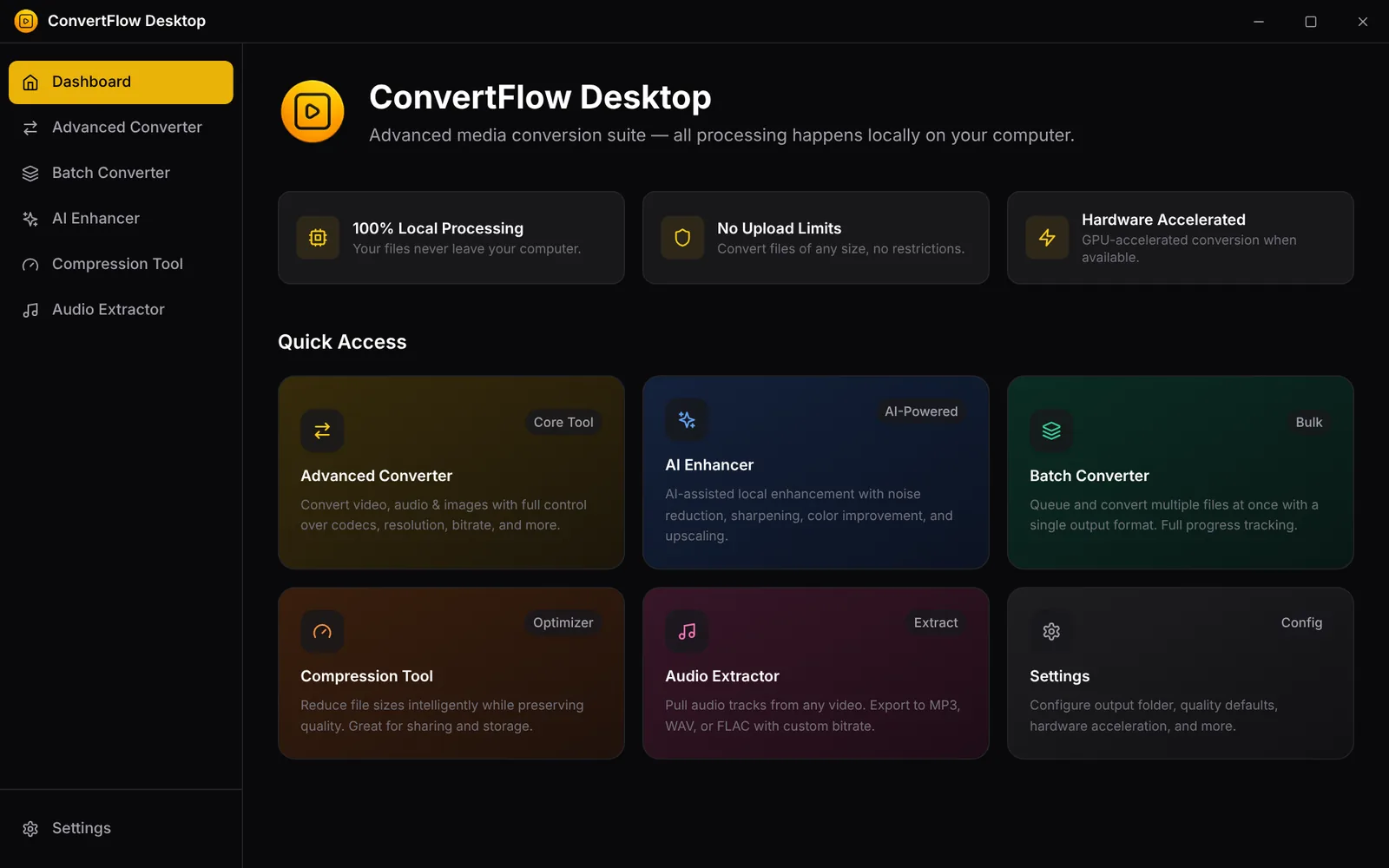
The dashboard gives you one-click access to every tool.
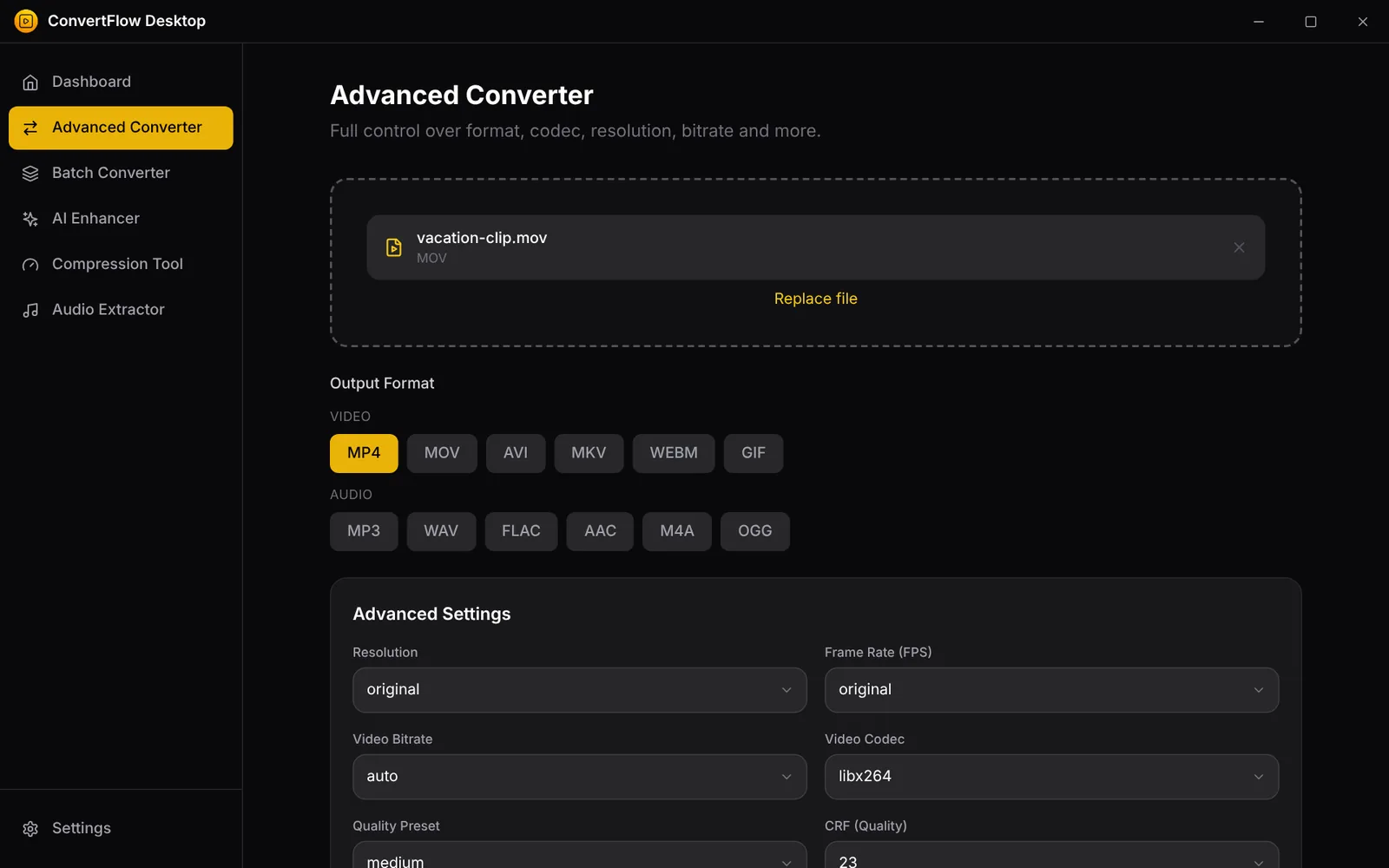
Pick a format, then fine-tune resolution, frame rate, bitrate and codec.
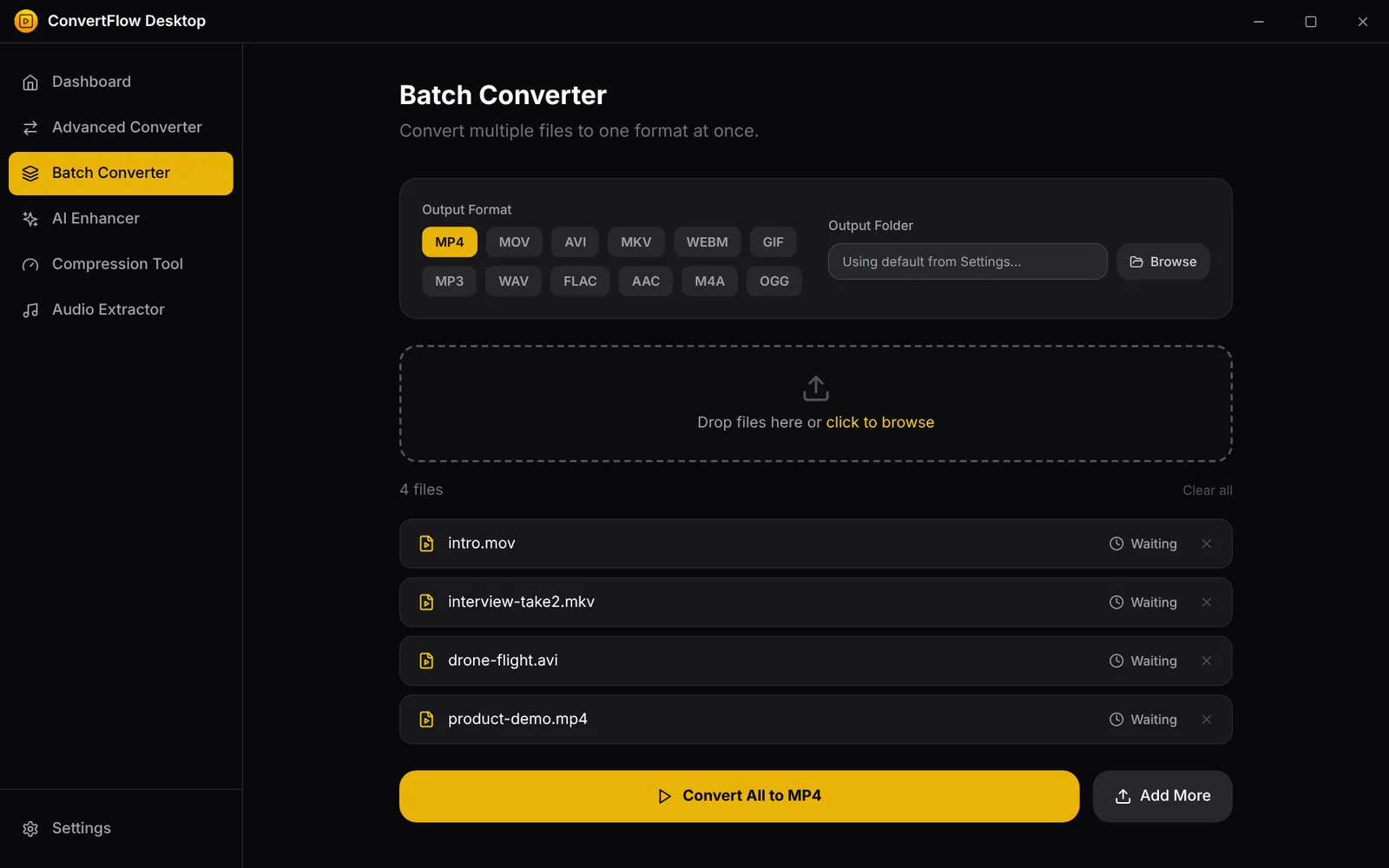
Queue many files, choose one output format and convert them all.
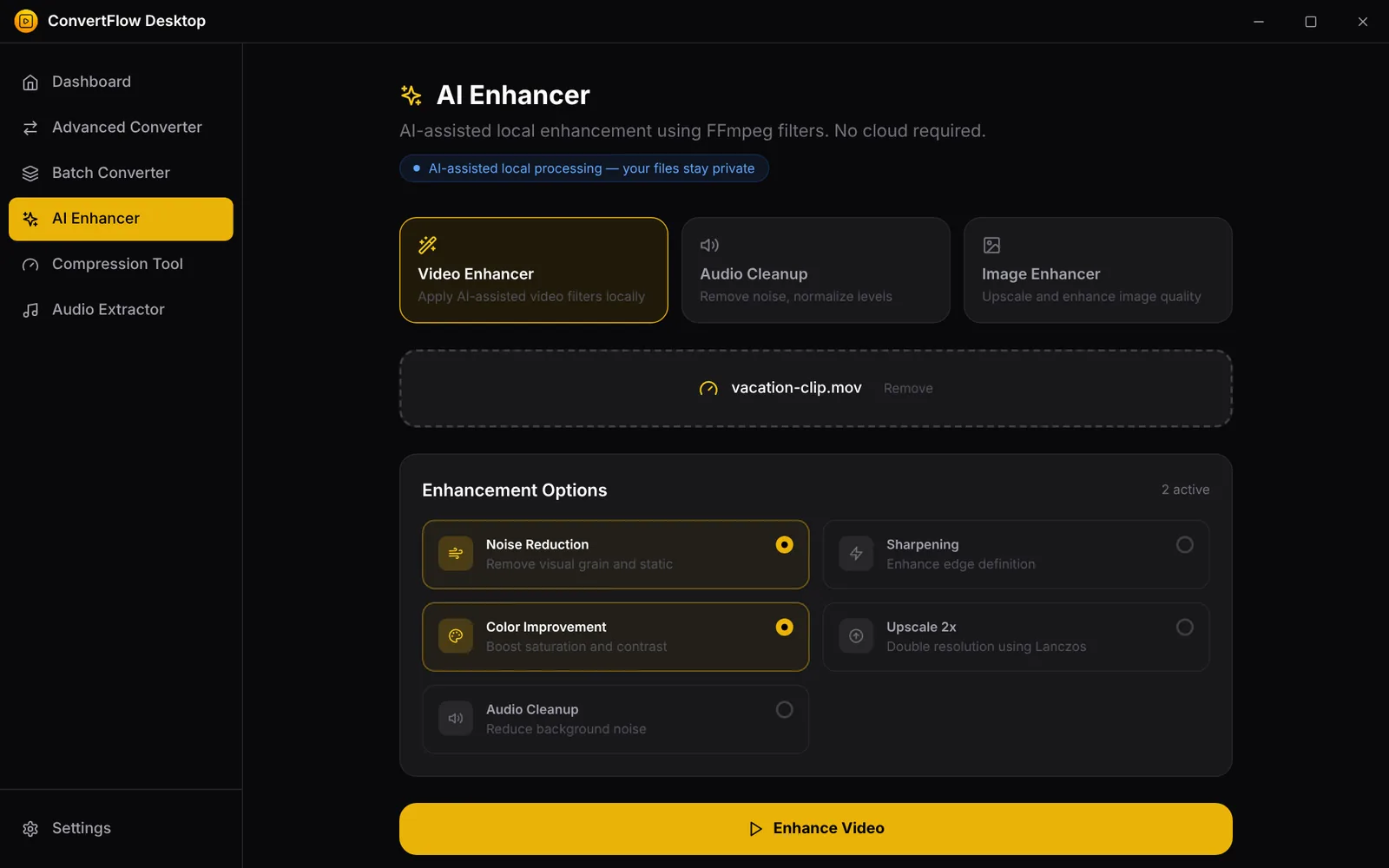
Noise reduction, sharpening, color improvement and 2x upscaling.
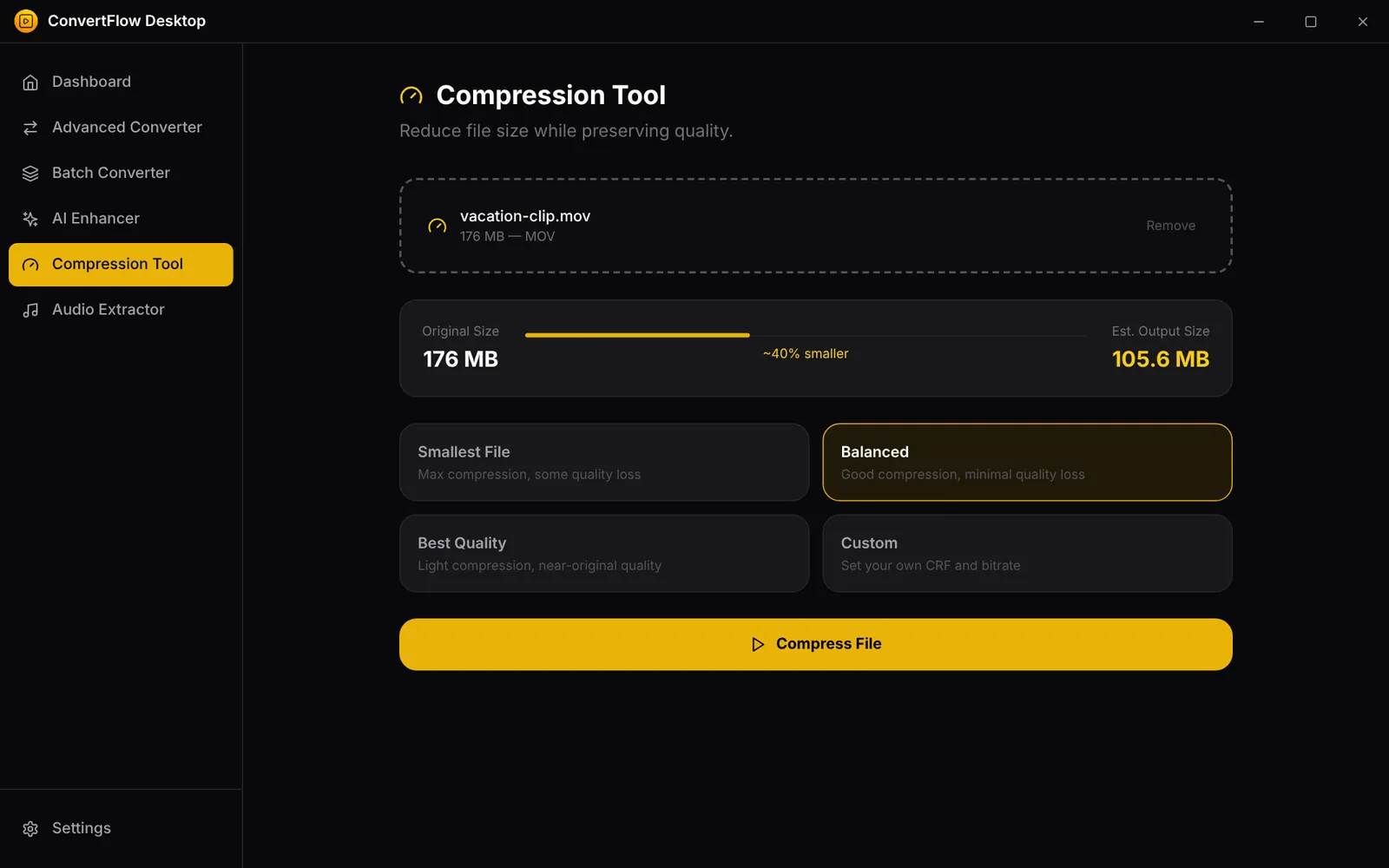
See the estimated output size before you compress.
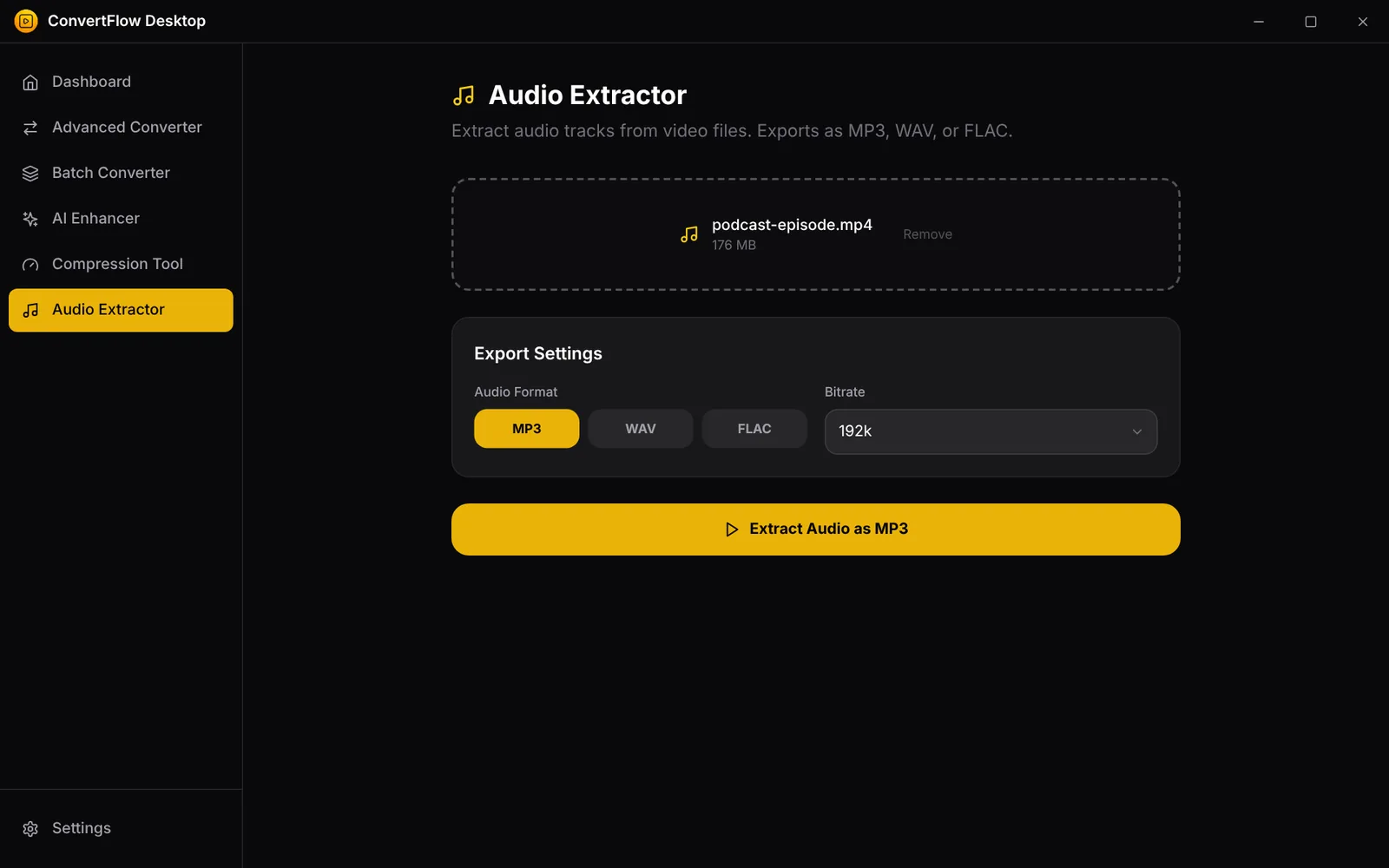
Pull the audio from any video as MP3, WAV or FLAC.
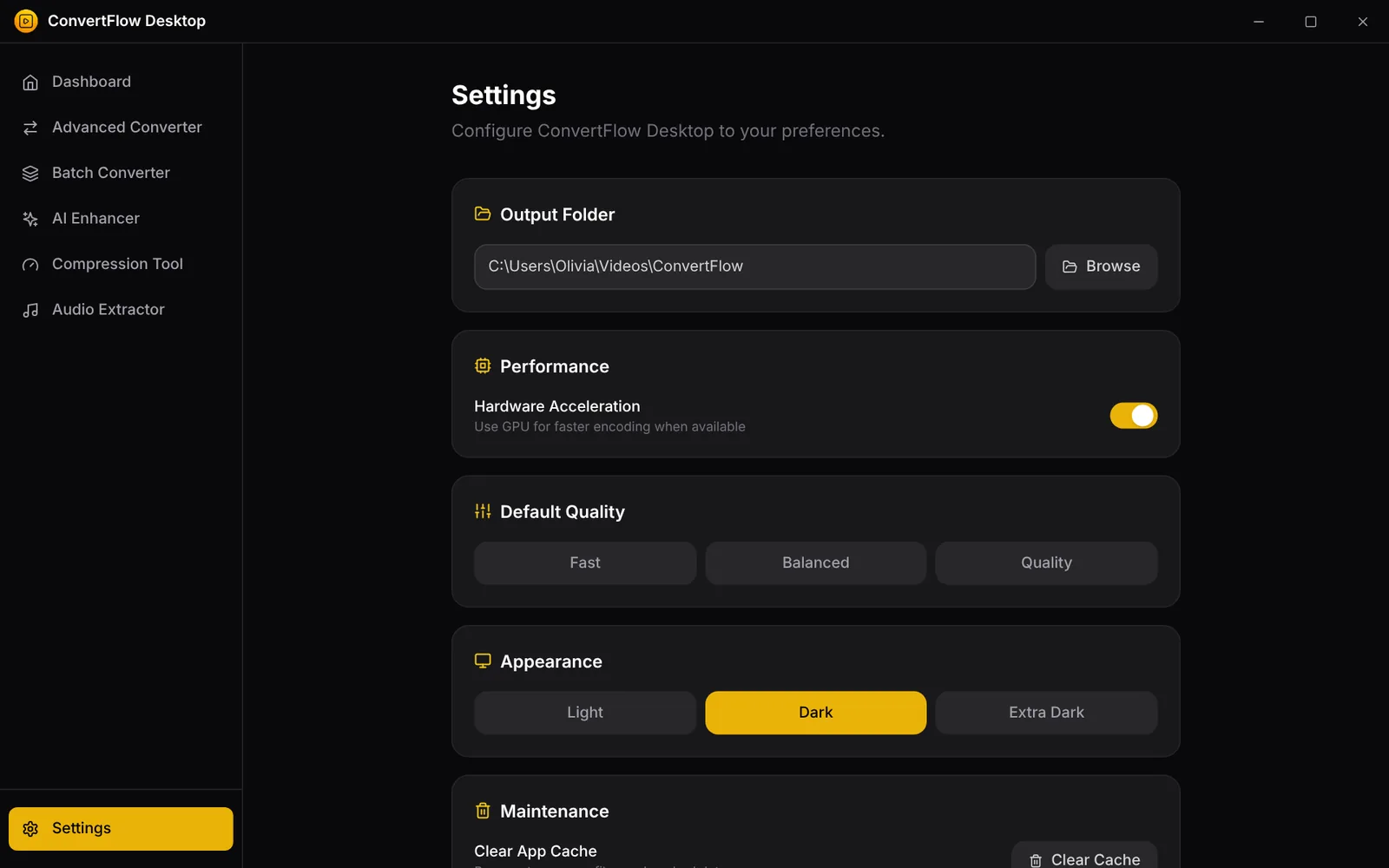
Choose Light, Dark or Extra Dark, plus your output folder and defaults.
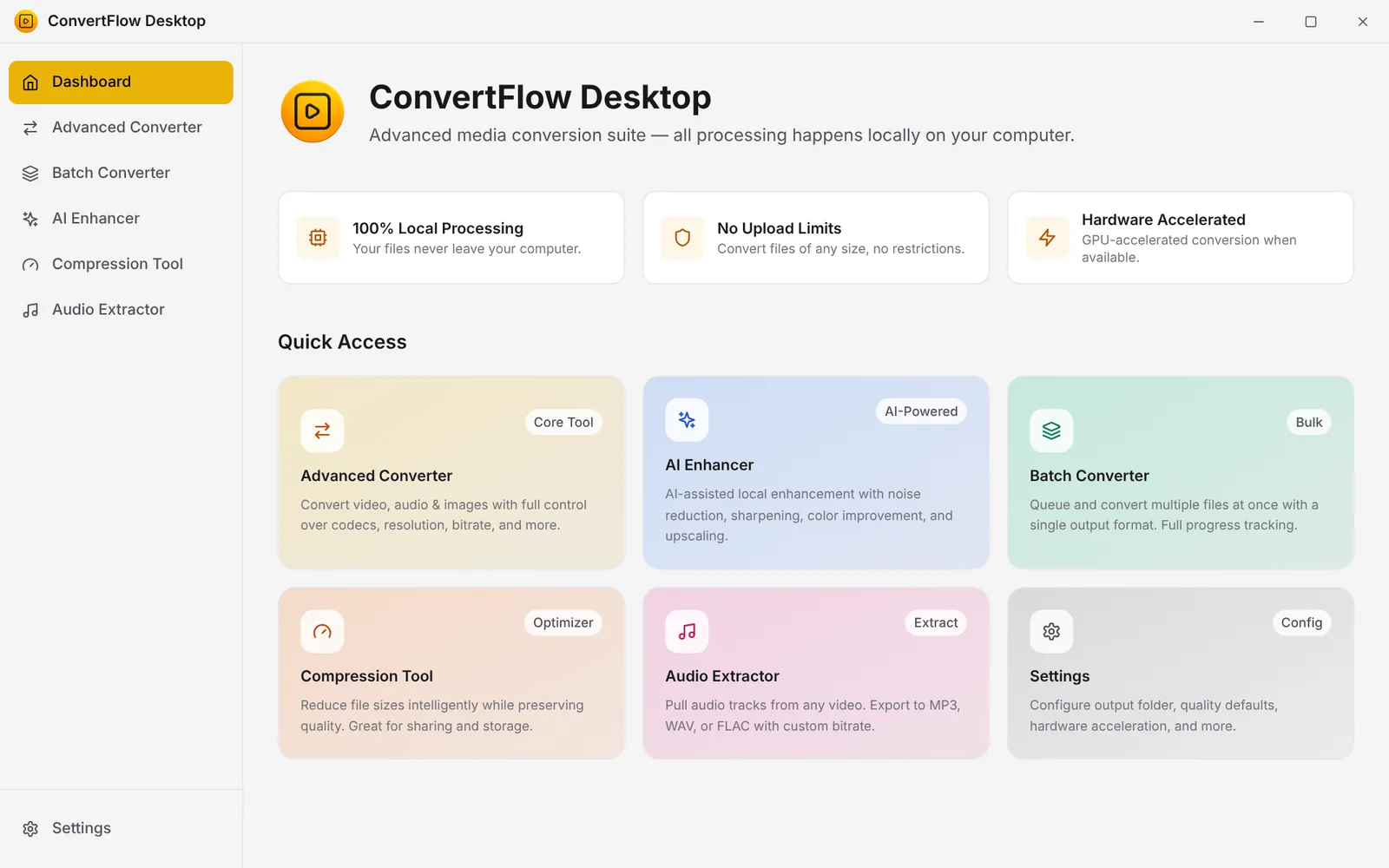
The light theme, for bright rooms and daytime work.
Try the free online converter
Convert a few images and audio files right in your browser. Nothing is uploaded. When you need video, batches or unlimited files, the desktop app is one small payment away.
Free: 3 conversions per week · Desktop app: unlimited
Up and running in minutes
Buy your license key first or install first. Either order works.
Get your key
Pay once for your license key. It appears right away and is also shown on the confirmation page.
Install ConvertFlow
Download the app for Windows 10 or 11 from the download page.
Activate and convert
Paste your key into the activation screen and start converting. One key works on up to 3 PCs.
One price. Yours to keep.
Secure payment by Stripe · 14-day money-back guarantee
Questions
More answers on the FAQ page.
Is ConvertFlow really a one-time purchase?
Yes. You pay $3.99 once and keep it. There is no subscription and no per-file fee. See the pricing page.
Are my files uploaded anywhere?
No. The desktop app converts everything on your own PC, and the free online converter works inside your browser. Your files never reach our servers.
What can I convert?
Video (MP4, MOV, AVI, MKV, WebM, GIF), audio (MP3, WAV, FLAC, AAC, M4A, OGG) and images (PNG, JPG, WebP, BMP, TIFF, ICO).
Can I try it first?
Yes. The free online converter handles a few image and audio conversions every week, so you can see how it works before you buy.
What if I change my mind?
Ask within 14 days and we will refund you in full. See the refund policy.